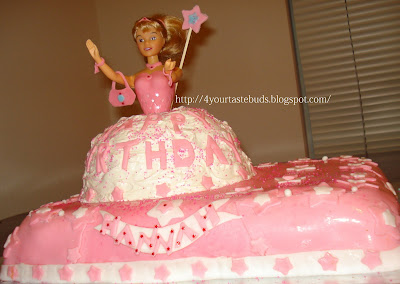
Disney Princess Theme Based Birthday Cake-My 100Th POST
vote now

Princess Cake/Theme Based Birthday Cake made @ Home
A princess birthday cake is the perfect Gift to your little girl's Royal Birthday Party.
Thrill any little girl with this cake...She wud really luv to have ths


Betty Crocker Super Moist Cake Mix(Milk Chocolate)
Whipped Vanilla Frosting
Eggs
Butter
Milk
Hand Mixer
Baking pan
Cooking spray(oil)
Toothpick
Pink Sprinkle Sugar
Decoration Part.
1.Wilton Rolled Fondant white
2.Food color-pink,blue
3.Cookie cutter-star shaped
4.Barbie Doll pick.
How to make Disney Princess Cake
Part 1
1.Bake a rectangular shaped cake to form the base part..
Refer
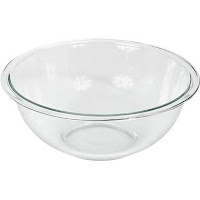
2.Bake the second cake in a curved baking pan(i used a pyrex bowl having skirt shape).
 3.When baking is over,take cake out of the pan and let it sit in room temp for 30 mins to cool completely..
 4.Turn both the cakes upside down,and apply frosting..
5.Apply cream on entire cake..
6.Cover the first cake with pink colored rolled fondant.(Mix pink color to the fondant and roll into shape of cake to cover the entire surface fo the rectangle cake)
7.Make some pink and white stars of different size using cookie cutter and paste on the fondant surface.
8.For the second cake(skirt shaped),insert doll pick in the middle..Then frost completely...
9.Make a beautiful skirt for ur cute princess..Apply all ur creativity...Sprinkle some pink sugar on skirt..
10.Cut out letters to greet birthday girl out of the fondant..
Dont forget to place birthday candle !!!!


Joy Of Cooking
Comments